
Create once. Run it live.
Take it everywhere.
Type a line, pick a style and put it on an LED wall, a projector or a live stream in minutes. Then post the same design to your feed. No rendering, and no internet needed.
LED wall behindOne design. Every screen.
Works with what you already run
- Any second screen
- OBS
- NDI
- ProPresenter
- EasyWorship
- Stream Deck
Build it in layers. Post it as a carousel. Grade it like film.
Designs you can take apart, whole carousels on one board, colour grades, and templates that go straight from the marketplace into the app.
Layers in every design
Stack words, photos, shapes and any template. Drag them on the canvas, reorder them, and double-click words to type right there.
How layers work →The Carousel board
Every slide side by side, one design running across them, templates see-through by default. Export makes one file per slide.
Build a carousel →Filters and your own LUTs
Eleven looks, or import any .cube file, to grade the whole design, its exports and the live screens alike.
About filters →Zoom in close
Ctrl or ⌘ + scroll, the Z tool, or a slide's name: check every detail on a small screen. Big monitors get a bigger interface by themselves.
Shortcuts →
Meet Frame
The logo blinks and follows your cursor, fills its bar as an export renders, shows a red dot while you're live and hops when something finishes.
More about Frame →Add to FlowFrame
Tick templates on the marketplace and press Add to FlowFrame: they land in your library. Downloaded files open with a double-click.
Open the marketplace →Type anything. Watch it move.
Eight of FlowFrame's text styles, running live in your browser. Pick a format, then press Go Live to see it the way your audience would.
The app has 127 templates, and puts your own fonts, colours, photos and video behind the words.
Paste a whole song. Get one animated line at a time.
Paste an entire song, poem or script and FlowFrame splits it into individual lines, suggesting motion, timing and a template for each one, locally on your machine. Nothing is uploaded.
- Paste a full song, poem, speech or script, not just one line
- Live preview with your own words, colour and speed
- Download the pack as video or image, 720p to 2K
127 templates across 12 categories.
Each one opens as a finished design. Add your words, photos or music, then run it live or export it.
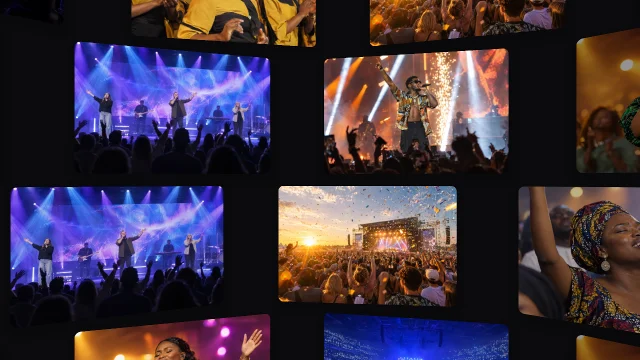 Cascade Wall3D & Perspective
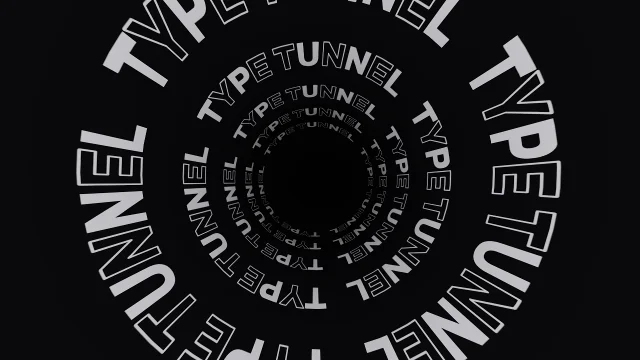 Type TunnelKinetic Typography
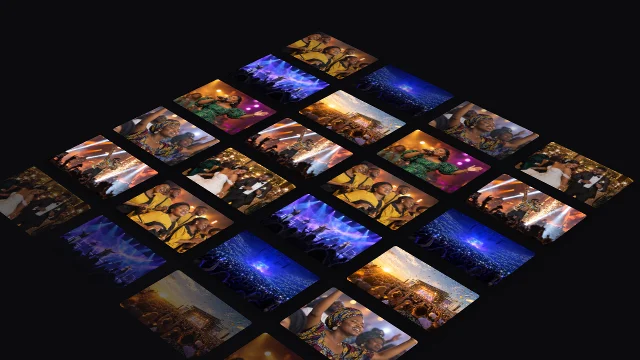 Iso CascadeIsometric
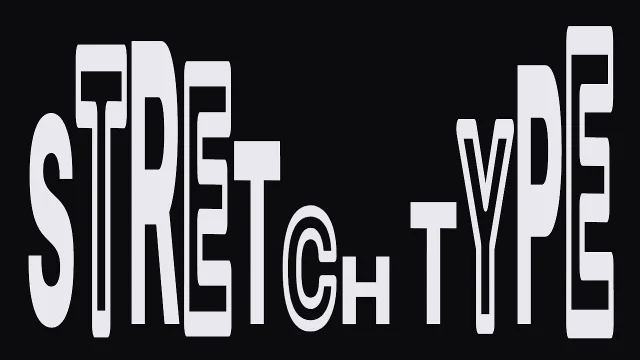 Stretch TypeKinetic Typography
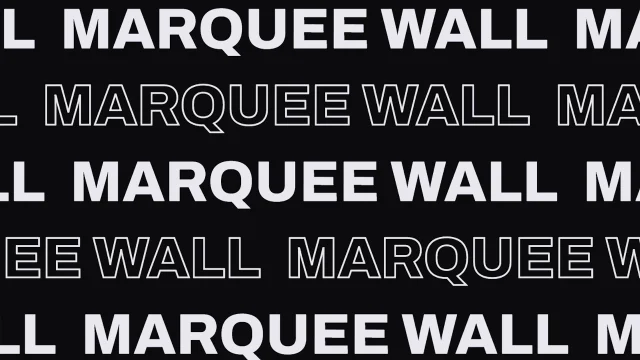 Marquee WallKinetic Typography
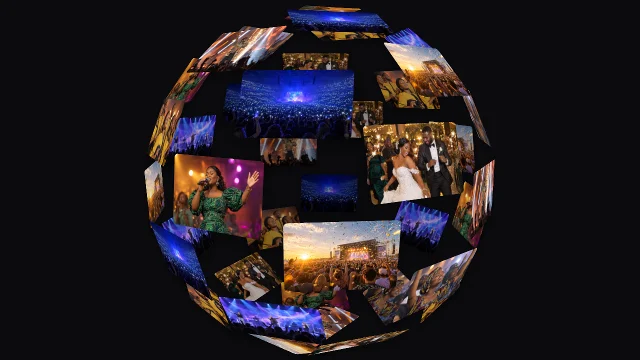 Spinning Sphere3D & Perspective
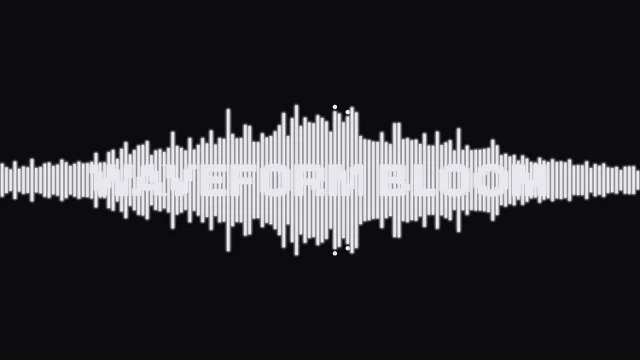 Waveform BloomAudio Forms
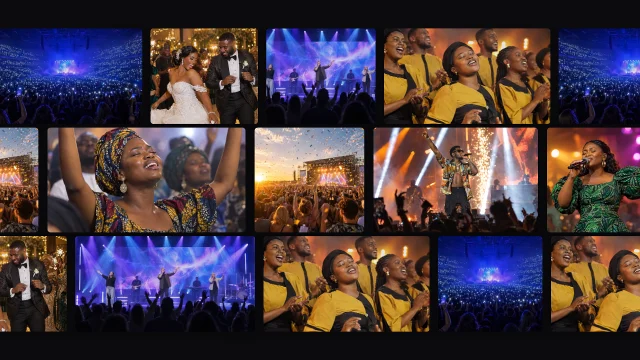 Mosaic MarqueeCarousel & Flow
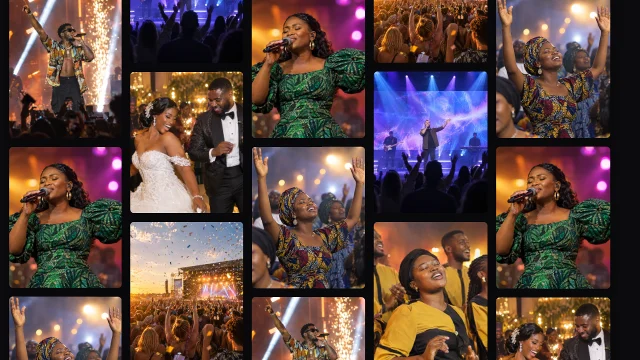 Column Wall3D & Perspective
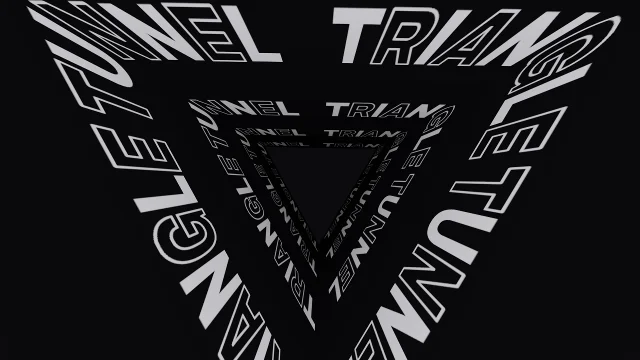 Triangle TunnelKinetic Typography
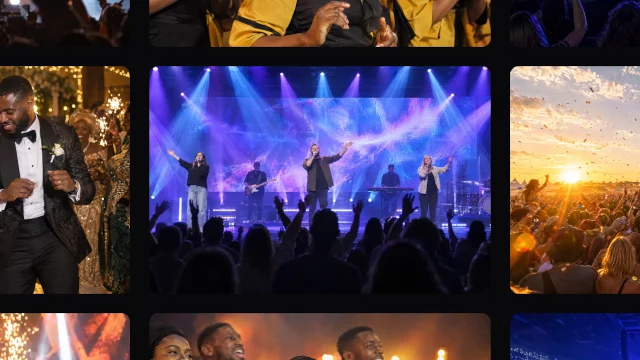 Spotlight ZoomGrid
 Tag RushKinetic Typography
Operator here. Audience there.
Control the room from one screen while your audience sees another. Run FlowFrame on your laptop and send a clean full-screen output to a projector, LED wall, OBS or NDI destination. Keep your production workflow intact and add motion where you need it.
- Second-display audience output
- OBS Browser Source
- NDI
- ProPresenter integration
- Runs alongside EasyWorship via NDI or capture
- Stream Deck control
Keep the tools you already use. FlowFrame adds the motion layer.
Design, sequence and present in one window.
Everything on this page happens in one desktop app. Design a look, build a carousel, and run the show from the same place.
A working demo of the FlowFrame editor. Play with it; exports run in the desktop app.
Let your visuals respond to the sound.
Feed FlowFrame a microphone or music track and let visual motion pulse with the beat, from clean spectrum waveforms and equalizers to dynamic, image-driven stage scenes.
- 11 audio forms and 9 photo-led audio scenes
- LIVE auto mode cycles kinetic templates on its own, switching on the beat
- Audio meter and per-control mappings, tuned from the inspector
One design. Every format.
Put it on the LED wall tonight and in the feed tomorrow. The same design fits each screen, and renders as real video on your machine, up to 4K.
- MP4 · H.264Hardware encode
- WebM · VP9Graceful fallback
- GIFPlays everywhere
- PNG · transparentAlpha overlays
- MOV · transparentFull-res alpha video
The whole carousel, on one board.
See every slide while you design. The Carousel tab lays your slides side by side (4:5 or 1:1), so one design can run across them: photos, words and any template as layers, see-through by default, graded with one filter.
- Every slide visible at once, with zoom for close-ups
- Layers that sit in one slide or flow across the joins
- Export one file per slide: pictures or short videos, numbered and ready to post
One visual system. Multiple content formats.
Built like a production tool.
What you see is what ships.
What you see is what ships
Preview, export and live output use the same deterministic engine.
Real video. No fake export
MP4, WebM, GIF, PNG and transparent MOV.
Works without the internet
Your projects, media and renderer live locally.
Every screen size
16:9 · 4:3 · 1:1 · 4:5 · 9:16
Built in layers
Words, photos, shapes and any template, stacked and arranged.
Graded like film
Eleven looks, or import your own .cube LUT.
Your workspace, your way
Design · Carousel · Present
Find anything instantly
Ctrl+K or ⌘K, and Z to zoom in close.
What are you making?
Select your focus to see how FlowFrame accelerates your specific production workflow.
Stage visuals, speaker titles and countdowns in real time.
From 16:9 LED backdrops to multi-screen setups and live speaker cues, adapt visual motion dynamically to the moment without rendering delays.
More motion. More creators. More ways to make it yours.
The FlowFrame marketplace is open: templates beyond the ones built into the app, each a package you can preview, install and keep. Independent creators are next.
Every template, previewed
Hover a card to watch it move. Tick as many as you like, then get them in one go.
Add to FlowFrame
One button sends your picks straight into the app's library. Downloaded files open with a double-click. No password, no subscription.
Independent creatorsComing soon
Packs from other motion designers, certified and signed by FlowFrame.
Start free. Upgrade when you want the engines.
Download FlowFrame free, no card required. Pro unlocks every template, 4K export and commercial use. Team covers your whole media crew. Pay in Naira or US Dollars, renews automatically, cancel anytime.
Explore FlowFrame · For learning the workflow and creating personal visuals.
- Starter templates
- Basic kinetic typography
- Social carousel generator
- 1080p HD video export (watermarked)
- Personal non-commercial use
- Every template (all 127)
- Commercial use
- Live presentation (Presenter, projector, OBS, NDI) with a tiled watermark
Create professionally · For individual creators and professionals who need commercial use.
- Everything in Free
- Commercial use included
- Every template (all 127)
- 4K video export & transparent MOV
- Live presentation without the watermark
- Unlimited exports · zero watermark
Run production together · For churches, agencies, studios and production teams.Churches · Agencies · Events · Studios · Production teams
- Everything in Pro
- Commercial use for the team
- 5 seats included, reassign anytime
- Multi-operator workflow
- Priority support
- Volume pricing for multi-campus
FlowFrame started with a simple frustration: creating motion in real time takes too long.
Instead of creating motion from scratch every time, build the visual template once, then use it in real time.
With tools like After Effects, CapCut, and even ProPresenter, turning an idea into something usable on screen often means stopping to design, animate, adjust, render, export, and then finally push it live. By the time the visual is ready, the moment may have already passed.
The idea behind FlowFrame was to change that workflow. Instead of creating motion from scratch every time, build the visual template once, then use it in real time.
Under the hood: every frame is an offline, real-time function. You get instant preview, clean live output, and zero network dependence so you stay in total control.
Does FlowFrame work offline?
Yes. Creating, previewing, presenting live and exporting all run on your machine with no internet connection. Fonts, templates, video encoders and the renderer are all local, and your projects, lyrics, media and exported videos stay on your computer. What does use the network: activating a paid licence (it then re-checks quietly in the background and keeps working offline for weeks between checks), checking for updates at launch, and anonymous crash reports if you leave error reporting on in Settings. Nothing you make is ever uploaded.
Does FlowFrame require an account?
No. There's no account and no payment details needed to use the Free version. The download page does ask for a name and email so we can send release news and reach you if you need support. It's a one-time step here on the site, not an account, and the app itself never asks again. The Free plan includes a starter set of templates, kinetic typography, social carousels, 1080p export and live presentation (Presenter, projector, OBS and NDI), all with a faint FlowFrame watermark tiled across the frame. A paid Pro or Team subscription removes the watermark and unlocks every template, 4K export, transparent MOV and commercial use.
Can I use FlowFrame commercially?
Yes. Both Pro and Team subscriptions include full commercial use rights. You can create and monetize client video deliverables, paid advertisements, live event visuals, church worship broadcasts, and commercial social media content with zero royalties and no watermarks.
Can I use FlowFrame for church and worship services?
Yes. FlowFrame was built with live church and media booth environments in mind. You can push live animated motion lyrics, scripture moments, announcements and service visuals directly to projectors and LED walls with zero latency and without relying on an internet connection.
Can I use FlowFrame for client work and video production?
Yes. On Pro and Team plans, you can produce motion graphics for clients and export in MP4, 4K ProRes transparent MOV (with alpha channel), WebM, and animated GIF. You can also import exported graphics directly into Adobe Premiere Pro, DaVinci Resolve, Final Cut Pro, and CapCut.
Does FlowFrame work with ProPresenter or EasyWorship?
Yes. ProPresenter, EasyWorship and OBS all take FlowFrame's live output as an NDI source (or through a capture card), and the docs walk through each one. For words, paste lyrics or text from anywhere, or import songs exported from EasyWorship as text files into the Presenter's song library. FlowFrame can't open ProPresenter or EasyWorship presentation files themselves.
Does FlowFrame work with OBS Studio?
Yes. FlowFrame includes a built-in local area network (LAN) server. In OBS Studio, simply add an OBS Browser Source pointing to your local FlowFrame feed or capture the clean secondary display output for seamless live streaming with transparency.
Does FlowFrame support NDI output?
Yes. FlowFrame supports local NDI broadcasting, allowing you to route high-definition, low-latency live motion graphics to any NDI-compatible video switcher, media server, or production software on your local network.
Can I use my own images, videos, and audio tracks?
Yes. You can import your own images, video cutouts, background clips, and audio tracks. In audio-reactive templates, you can feed live audio from your microphone or line-in to drive visual motion on the beat.
How do I use templates I downloaded from the marketplace?
Double-click the .fftemplate file, drag it onto the FlowFrame window, or use Marketplace › On this device › Import downloaded templates. FlowFrame checks it against your marketplace account once, then it is in your library and works offline. Quicker still: tick templates on the website and press Add to FlowFrame.
What video formats can FlowFrame export?
FlowFrame exports MP4 (H.264), transparent MOV (ProRes 4444 with alpha), WebM (VP9), animated GIF and transparent animated PNG (APNG). Every export is frame-accurate and rendered on your own machine.
Which operating systems are supported?
FlowFrame supports Windows 10 and 11 (64-bit) as a standalone installer, and macOS 12 or newer with native builds for both Apple Silicon (M1/M2/M3/M4) and Intel Macs.
What happens if I change or upgrade my computer?
You can move your licence yourself: on the old computer, open Settings → License and deactivate it, then activate your key on the new one. If the old computer is gone or the licence is already full, FlowFrame offers Replace device when you activate (once a month per licence). Or email support@flowframemotion.com and we'll move it for you.
How many devices can use a Team subscription?
The Team plan includes 5 concurrent user seats, which belong to your organization and can be reassigned by the account owner to different team members anytime. Additional seats can be added as your production crew grows.
How do I cancel my subscription?
Go to flowframemotion.com/account/subscription and enter your licence key and order reference (both are in the email with your key). You'll see your plan and when it renews, and you can cancel renewal there in one click, whether you paid in Naira or US Dollars. Naira subscribers can also have Paystack email its own page to update the card. If you get stuck, contact support@flowframemotion.com with your order reference. Cancelling stops future renewals; your paid features keep working until the end of the period you've already paid for, then the application reverts to the Free feature set. All your projects and exported video files remain permanently on your machine, nothing you made is ever locked or deleted.
How does billing work?
The Free plan is free forever with no credit card and no account required. Pro is ₦10,000/month and Team is ₦40,000/month (covering 5 seats). Naira payments are billed securely through Paystack; US Dollar payments are billed through Flutterwave, whichever you pick at checkout. Annual billing gives you two months free. Subscriptions renew automatically until you cancel; see "How do I cancel my subscription?" above.
Make something worth putting on screen.
Download FlowFrame and create your first motion piece in minutes.
Version 5.0.2 · released 7 October 2026